🚀 Why SMEs Need an AI Business Card Reader for Smarter Networking
AI business card reader for SMEs isn’t just a tool—it’s a game-changer. Imagine turning card photos into CRM-ready leads in seconds. Networking events, conferences, and client meetings always leave us with stacks of business cards. The problem? Manually typing each contact into Excel, updating CRMs, and sending follow-up emails takes hours.
For small and mid-sized businesses (SMEs), this repetitive task drains time that could be better spent on customers. That’s why I built a simple AI-powered business card reader using Make.com—and in this blog, I’ll show you how it works, why it matters, and how it can save your team hours each week.
📌 The Challenge: Why Manual Business Card Entry Hurts SMEs
Most mobile apps today save business card details only into a phone’s contact list. This AI business card reader for SMEs eliminates double work. While convenient for one person, this creates 3 big challenges for SMEs:
1. Not Shareable Across Teams — Your sales team can’t instantly access the new contact.
2. Manual Duplication — If you want the data in Excel or a CRM, you need to retype it.
3. Lost Opportunities — Some cards are never entered at all because it feels like “too much work.”
🧠 The Anautomate Solution: How the AI Business Card Reader Works
I designed a business card reader workflow with Make.com that solves these challenges instantly.
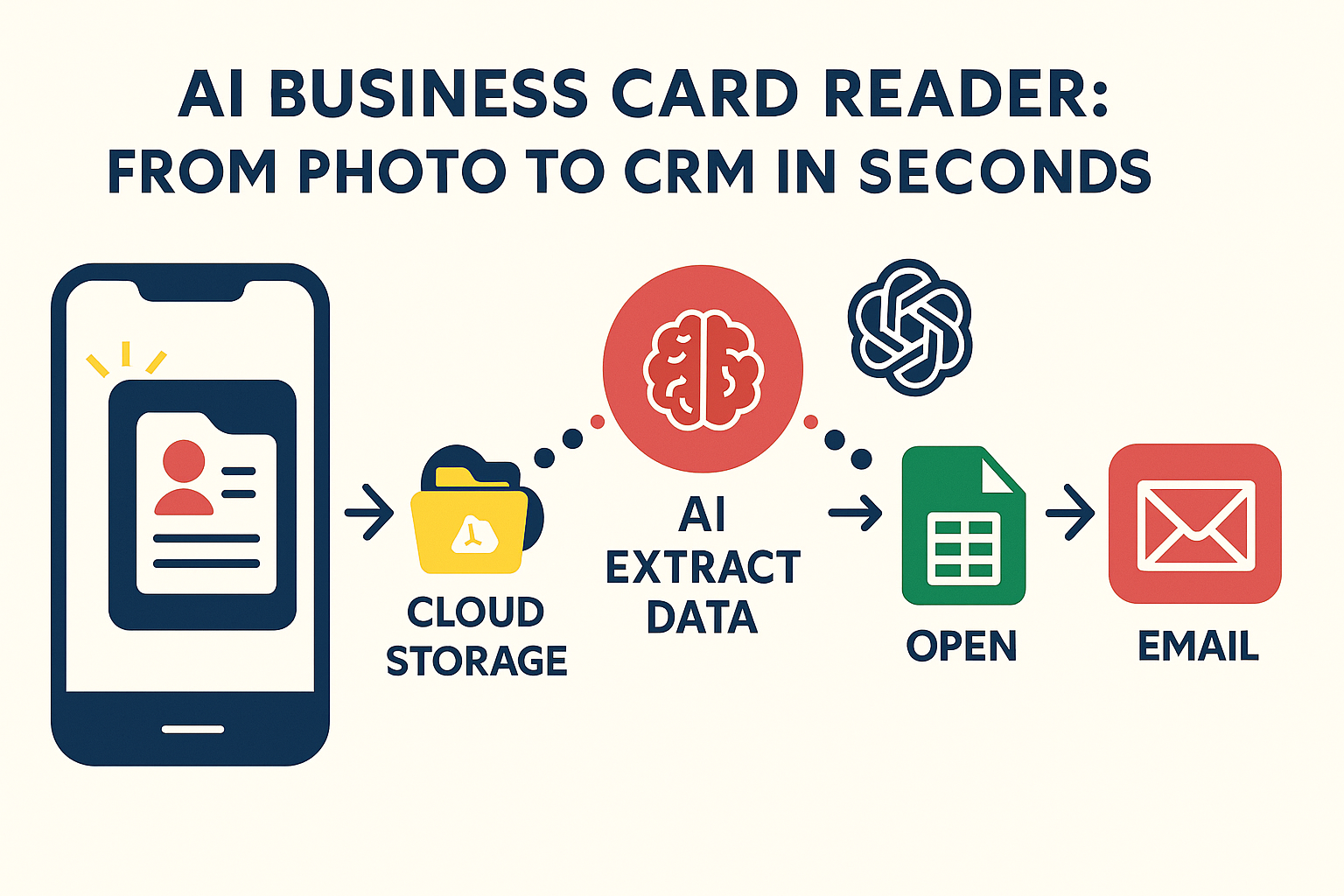
📌 Here’s how it works step by step:
1. Capture → Take a photo of the business card.
2. Cloud Storage → The image is automatically uploaded to Google Drive.
3. AI Extract Data → AI reads the card, identifies fields like name, company, email, and phone.
4. Google Sheets → Data is structured and added into a shared spreadsheet.
5. Email → An automated, professional follow-up email is sent immediately.
6. CRM Ready → Your team has all contacts organized, accessible, and ready to use.
🎯 Benefits of Using an AI Business Card Reader for SMEs
With an AI business card reader for SMEs, you’ll never lose leads after events. This isn’t just about saving time—it’s about creating leverage.
⏳ Time Saved: What used to take hours is now done in seconds.
✅ Accuracy: No more typos or missed details.
📂 Instant Organization: Data is already in Google Sheets, ready for CRM or analytics.
📧 Automated Follow-Up: No more forgetting to email new leads.
📈 Scalability: Works for 5 cards or 500 cards without extra effort.
🤔 Manual vs Automated: A Clear Difference
Still entering contacts manually? Here’s the before vs after:
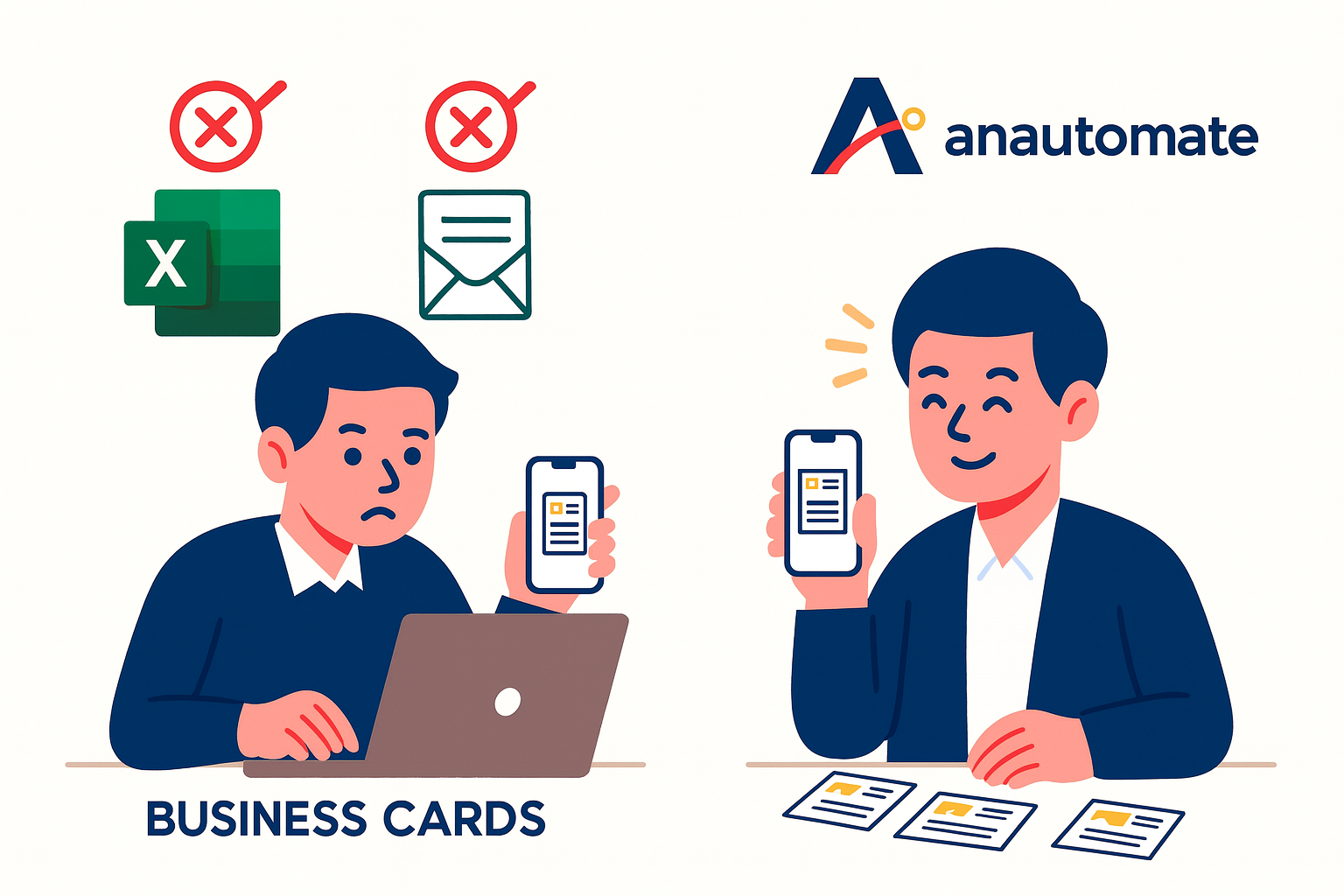
Left: Manual entry into Excel & email (slow, error-prone).
Right: Anautomate solution powered by Make.com (fast, shareable, instant).
🔧 Why I Built This with Make.com
The best part? This entire workflow was built on Make.com—a no-code automation platform.
Make allows me to connect Google Drive, AI, Google Sheets, and Gmail in a single drag-and-drop workflow. No developers, no complex code, just smart automation.
For SMEs, that means:
• You can get started with affordable subscription tiers.
• Automations integrate directly with tools you already use.
• Workflows are easy to customize for your business.
📌 Conclusion: Small Automations, Big Wins
This AI business card reader is just one example of how small, repetitive tasks can be automated to free up your time.
If you’re running a business with under 75 employees, every wasted hour counts. Imagine what happens when dozens of hours per month are unlocked for sales, customer service, and growth. Many SMEs lose valuable follow-ups because of manual data entry delays. An AI business card reader for SMEs ensures no opportunity slips through cracks, keeping pipelines full and teams efficient.
👉 So ask yourself: What’s the “stack of business cards” in your workflow? And how much time could automation save you?
✅ Ready to Automate Your Workflow?
💡 Want to see how automation can work for your business?
📩 Let’s connect: contact@anautomate.com
Or, explore more about no-code automation directly at Make.com.